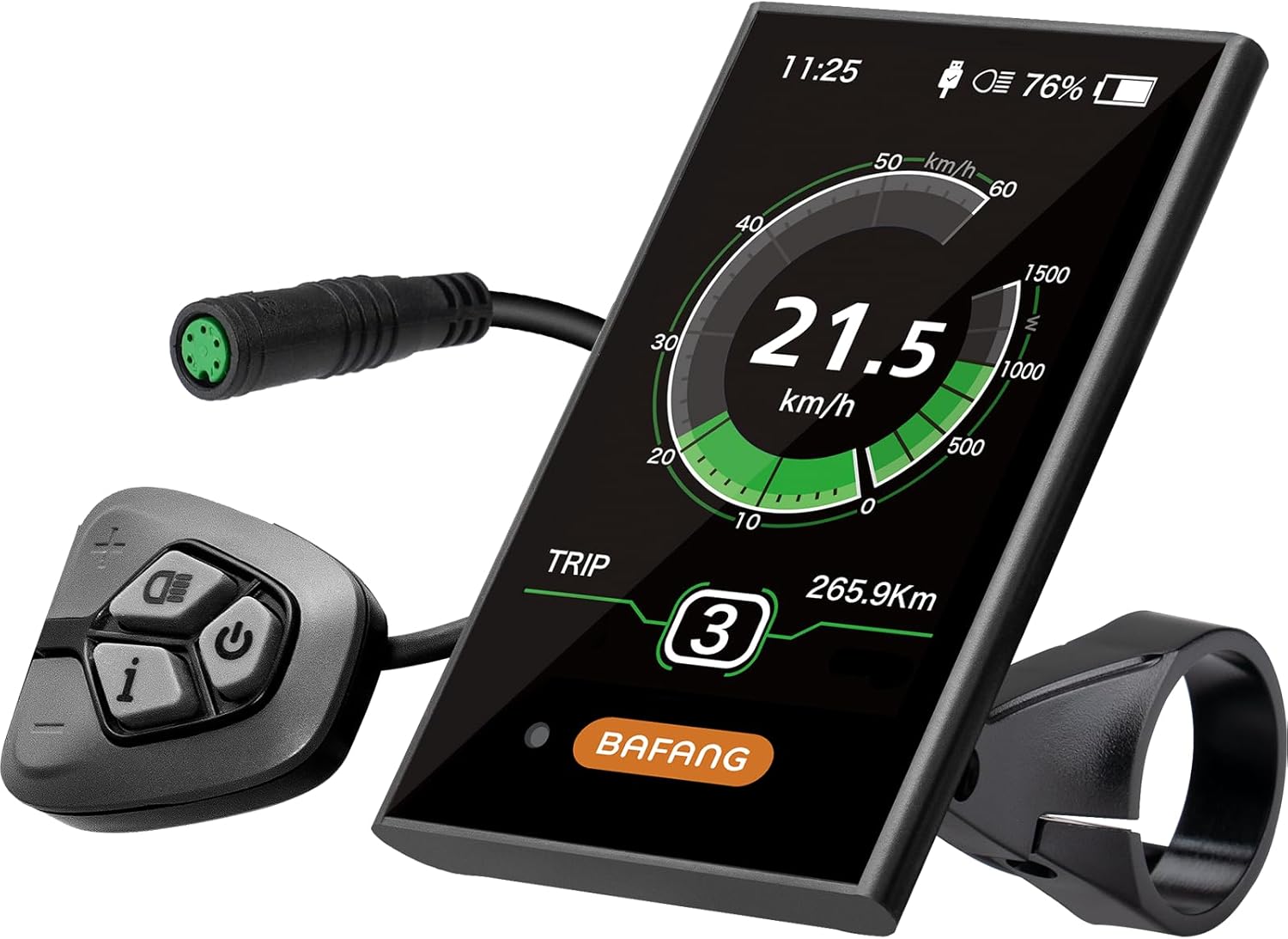
BAFANG DPC18 Color Display
Bafang DPC18, a 3.5-inch colour display with 0–9 assist, IPX5 sealing and a 5V USB port.
- Handlebar display

The C961 is the small, plain display for a UART Bafang mid-drive. A 2.7-inch LCD with automatic backlight shows the essentials, assist can be set to 3, 5 or 9 levels, and the whole unit weighs 0.21 kg, light enough to carry as a spare.
A trail bike's handlebar fills up quickly: brakes, a shifter, a dropper remote, a bell and a light all want space. The C961 takes little of it. Its 2.7-inch LCD shows speed, battery and assist level clearly, and the automatic backlight adjusts to the light around it, so the readout stays usable from noon to dusk.
This is a plain LCD rather than a colour screen, and that is the point. There is less to look at, less to go wrong and less to break in a crash.
Riders who come from a big colour screen notice what is missing: no USB port for a phone and a smaller data field. Riders who want to watch the trail rather than a screen tend not to miss either. It also suits builders who tune the controller by laptop: with the motor's behaviour already set, the display only needs to show data and change levels.
The small size helps on bikes with short cockpits, such as compact frames, trikes with narrow bars and cargo bikes where the space by the stem carries a phone mount. It also sits lower, so a fall onto the bars is less likely to catch it.
The display comparison sets it against the DPC18, 500C and 850C, and explains when a larger screen pays off.
| Spec | Value |
|---|---|
| Brand | Zeekpowa |
| Model | C961 |
| Screen | 2.7-inch HD LCD |
| Backlight | Automatic, follows ambient light |
| Assist levels | 0–3, 0–5 or 0–9, selectable |
| Protocol | UART |
| Motors | Bafang BBS01, BBS02, BBSHD |
| Other motors | Not compatible |
| Sealing | IP54 |
| Controls | Buttons |
| Weight | 0.21 kg |
| Mounting | Handlebar |
| Sensor input | Speed sensor |
The C961 lets you split motor assist into 3, 5 or 9 steps. The motor's power range stays the same; what changes is how finely it is divided. Fewer steps mean bigger jumps between levels, and more steps mean smaller ones you can use to match effort to the hill.
| Setting | Feel | Suits |
|---|---|---|
| 0–3 | Large jumps: low, medium, high | Simple commuting, new riders |
| 0–5 | Moderate steps | Mixed town and trail riding |
| 0–9 | Fine steps | Long climbs, heat management, range planning |
On a BBSHD, fine steps help with heat. A long climb at the highest level pushes the motor hard; dropping one or two notches while shifting to a lower gear often keeps the pace with far less current and a cooler motor.
How much power each step gives is set in the controller, not the display. On a UART HD, the programming guide shows how to reshape assist levels with a cable and laptop, so level 1 can feel gentle and the top level full.
Level 0 switches the motor off completely. It is useful on a flat road to save battery, or on technical ground where an unexpected surge would be unwelcome. The step count lives in the display settings rather than the wiring, so you can try nine levels for a month and go back to five if counting button presses mid-climb gets tiresome.
The C961 speaks Bafang's UART protocol, so it works on the BBS01, BBS02 and BBSHD motors that use it and nothing else. On those bikes, it plugs into the display lead of the 1T4 harness, the cable that joins the motor to the display, throttle and brake levers.
Inspect the pins before pushing the plug home. A bent pin is the usual reason a new display stays dark, and it is easy to straighten.
The first settings to check are wheel size, units and the assist step count. A wrong wheel size makes the speed reading drift and upsets any speed limit you set.
If the display shows an error after fitting, note the code. Bafang error numbers mean the same thing across displays, and the controller and wiring guide traces each connector that might cause one.


A UART BBSHD will not switch on without a display or a bypass plug. That makes the display a single point of failure, and a crash onto rocks or a fall in the car park can end a ride miles from home. The C961 is small and light enough to live in a frame bag as the answer.
The swap takes a couple of minutes at the trailside: unplug the damaged screen, plug the C961 into the same lead, clamp it on and ride. Set the wheel size once before the first trip so the spare is ready when needed. Keep it in a zip bag with its clamp screws so nothing goes missing.
A spare also speeds up diagnosis at home. If a fault clears with the C961 plugged in, the main display was to blame; if it stays, look at the harness or the controller.
| Display | Screen | Sealing | Role |
|---|---|---|---|
| Zeekpowa C961 | 2.7-inch LCD | IP54 | Compact main screen or spare |
| Bafang DPC18 | 3.5-inch colour | IPX5 | Large main screen with USB |
| Forbestcy 500C | Colour | IP65 | Compact colour main screen |
The IP54 rating is the one real caution. It resists splashes and dust, but the colour options carry higher ratings, so riders in steady rain or anyone who washes the bike with a hose should keep water pressure well away from the display.
Riders who want colour and a phone charger should look at the Bafang DPC18.
Yes, on the UART BBSHD with a 1T4 harness. It does not work on the CAN-bus BBS-HD or on other motor brands.
You choose 0–3, 0–5 or 0–9 in the settings. The power in each level is set in the controller.
It is rated IP54, which covers splashes and dust. Keep hose spray away from it.
A UART BBSHD will not switch on without a display or bypass plug, so a light spare turns a cracked screen into a quick trailside swap.