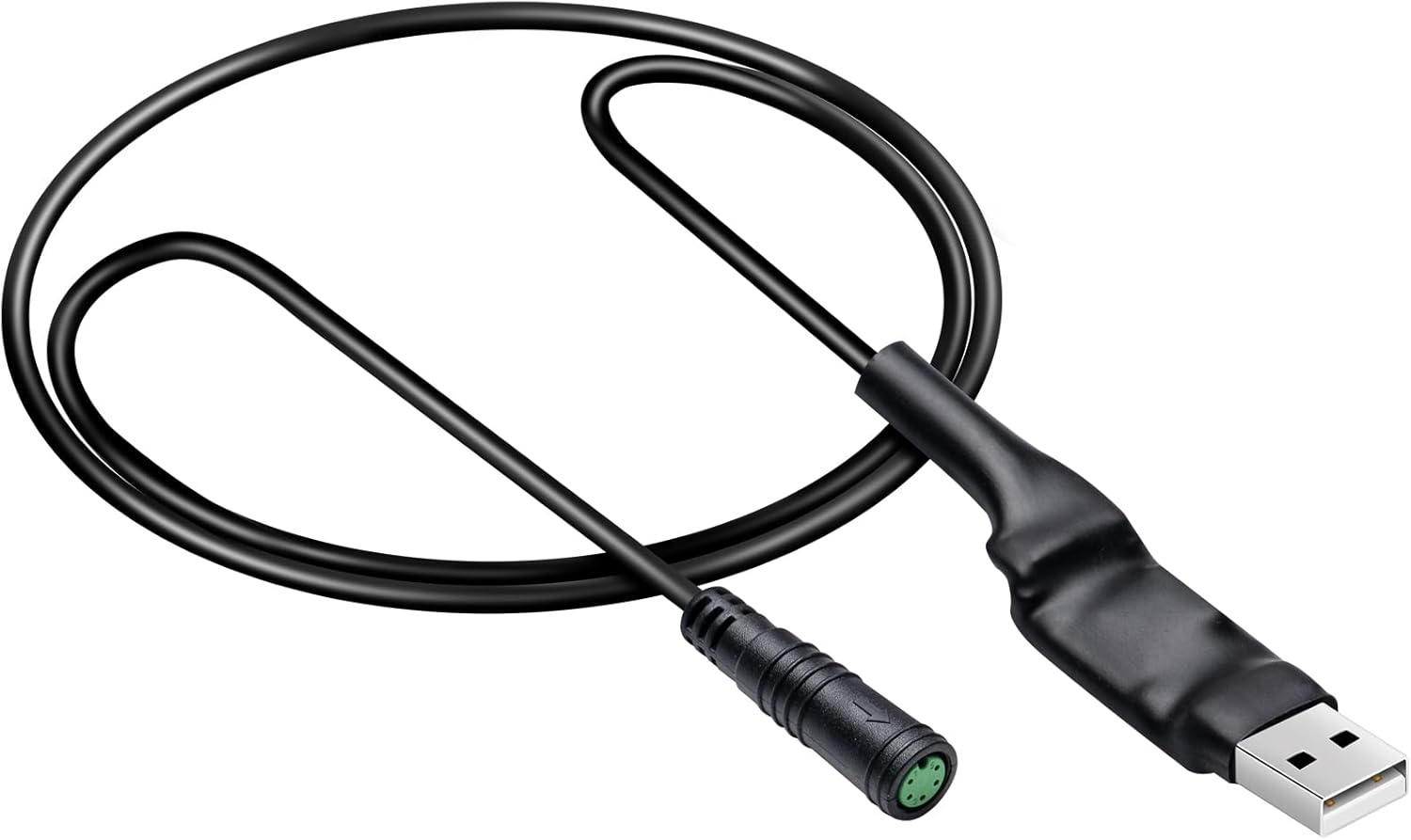
E-Mangue Programming Cable
E-Mangue's 40-inch cable adds a waterproof 5-pin female connector and a QR code on the label that points to the software and manual.
- Wiring and programming

A 40-inch USB cable that swaps in for the display on a UART BBSHD, BBS01 or BBS02 and lets a Windows laptop rewrite the controller's settings. It is the tool for taming a surging pedal assist, raising or capping current per level, and changing how the throttle behaves.
Out of the box, a BBSHD's pedal assist is a blunt tool. Level 1 can feel like a shove, the motor keeps pulling a beat after you stop pedalling, and the jump between levels is uneven. All of that lives in the controller's configuration, and this Zeekpowa cable is the key to it.
The cable replaces the display for a few minutes. You unplug the display from the 1T4 harness, plug the cable's 5-pin end into the same port, and the USB-A end into a Windows laptop. The Bafang configuration tool then reads every stored parameter and lets you write new ones. Unplug, reconnect the display, ride.
Zeekpowa's own wording is candid about the upside and the risk: the cable opens the path to more performance and PAS settings more to your liking, and reprogramming the drive can damage the motor if you push it wrong. Both are true. The configuration tool will happily accept settings that cook a nylon gear or overheat the controller on a long climb.
The BBSHD programming guide walks through a full settings file with starting values.
| Spec | Value |
|---|---|
| Brand | Zeekpowa |
| Compatible motors | Bafang BBS01, BBS02, BBSHD 1000W |
| Protocol | UART (the 5-pin display bus) |
| Computer connector | USB Type A |
| Motor-side connector | 5-pin, fits the display plug on the 1T4 harness |
| Pins | 5 |
| Connector gender | Male-to-male as specified by Zeekpowa |
| Cable type | USB data cable |
| Length | 40 inches (about 1 m) |
| Function | Data transfer for controller programming |
| Software | Bafang configuration tool for Windows |
| Adjustable areas | Basic, pedal assist and throttle parameters |
| Power draw | About 2W, from the USB port |
| Phone support | None; laptop or desktop only |
| In the box | One programming cable |
Most riders who buy the cable end up changing a handful of values and leaving the rest alone. The ones that matter most sit on the pedal assist tab, and they shape what the bike does in the first second of a climb and the last second of a stop. Knowing what each does keeps you from trading one annoyance for another.
| Parameter | What it controls | Ride effect |
|---|---|---|
| Start current | Current the motor asks for at the first crank stroke | Lower it for a gentle launch on loose gravel |
| Slow-start mode | How quickly current ramps up after that first stroke | A slower ramp stops the lurch at stop signs |
| Stop delay | How long assist continues after pedalling stops | Shorter means the motor quits sooner at a corner |
| Current per PAS level | Share of maximum current each level may use | Spreads nine levels evenly instead of three big steps |
| Throttle mode | Throttle requests speed or current | Current mode feels progressive; speed mode feels like cruise |
On a steep, loaded climb, the per-level current is what matters. A cargo rider hauling a trailer up a long grade might want level 3 to deliver most of the motor's pull at a steady cadence, rather than having to reach level 5 and its higher speed limit. That keeps the motor spinning in a more efficient range and generates less heat.
The stock BBSHD controller's maximum current is the ceiling. The cable does not add hardware capacity; it only redistributes what the controller allows.
The cable is a UART tool. It talks through the same 5-pin port the display uses on BBS01, BBS02 and UART-generation BBSHD kits, which is the display branch of the 1T4 wiring harness. If your kit is one of Bafang's newer CAN-bus models, this is the wrong cable; those use different connectors and Bafang's own software.
Getting a connection is straightforward, but a few things trip people up on the first try.
At 40 inches, the cable reaches a laptop sitting on a workbench or on the ground beside the bike, but not across a garage. A USB extension on the computer side is the easy fix if you need more room.
Zeekpowa gives the pin count as 5 and the connector as male-to-male. Look at the display port on your harness before you order: most UART 1T4 harnesses share the same display plug, but aftermarket harnesses and older kits vary. The BBSHD controller guide shows how to tell a UART controller from a CAN one by its connectors.


A programming cable is the cheapest way into a BBSHD's settings, but it is not the only way. Bafang's CAN-bus kits and their DPC010 or DPC080 displays let you change parameters from the screen or the BAFANG GO app with no cable at all. On a UART kit, though, a cable like this one is the standard route.
Against the other UART cable here, the E-Mangue programming cable, the Zeekpowa is the plainer option. Both reach 40 inches and both end in a 5-pin plug. E-Mangue adds a waterproof female connector, a QR code on the label that links to the software and manual, and spelled-out Windows 7, 8 and 10 support. Pick the Zeekpowa if you already have the software and just need a working cable.
Tick three boxes first: make sure your display plugs into a 5-pin port on the 1T4 harness, that you have a Windows machine, and that you know your controller's current limit. Pushing assist harder raises heat in the motor and controller, and the nylon gear and clutch guide names what gives first when current climbs.
No. It is built for the UART display bus on BBS01, BBS02 and UART BBSHD kits. CAN-bus kits use different connectors and Bafang's own software or a programmable display.
The Bafang configuration tool runs on Windows, and the cable has no phone support. A Mac user needs a Windows machine or a Windows virtual machine with USB passthrough.
Yes. Zeekpowa warns about it directly. Raising current and removing limits adds heat and stress on the gears, so change one value at a time and keep a copy of the stock settings.
No. The cable plugs into the display port in place of the display. Reconnect the display when you finish.